Laeyrd
Make a VS Code theme by changing what you see, not by editing JSON.
Laeyrd adds a visual control panel to VS Code. Change colors, syntax tokens and editor settings, watch the change happen live, and publish the result as a theme that shows up in the Color Theme picker.
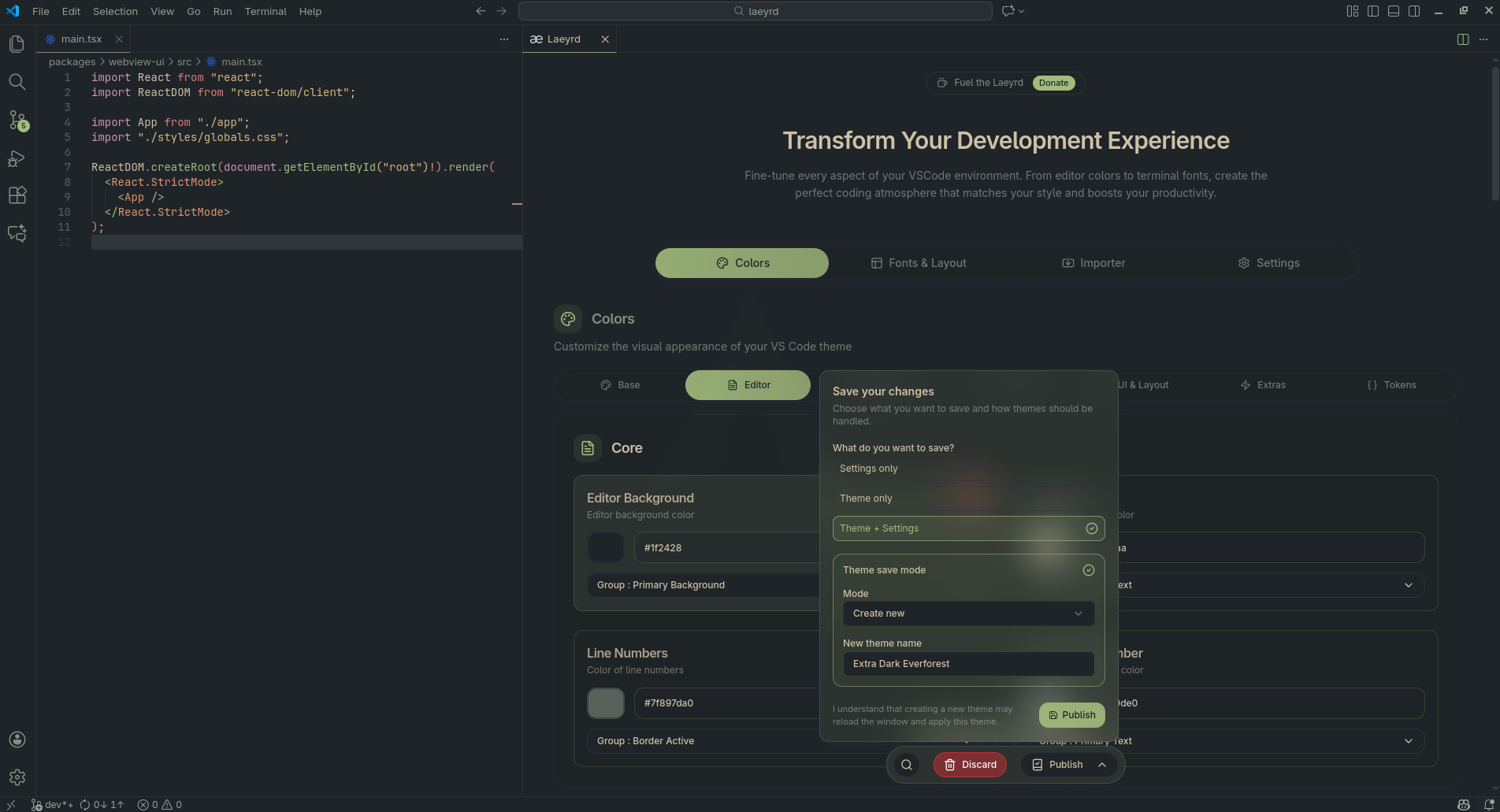
Themes, without the JSON
Laeyrd puts a visual panel on top of VS Code. Try it on this preview: pick a swatch and both layers re-theme.
- 1
Open the panel
Run “Laeyrd | Customize VSCode” from the Command Palette.
- 2
Change what you see
Pick colors for the editor, tabs, sidebar and syntax tokens.
- 3
Publish
Save it as a theme that shows up in the Color Theme picker.
Everforest
What it does
- Edit the editor, sidebar, panel, activity bar, tabs and more
- Change syntax highlighting, accents and backgrounds
- See every change in a live preview
- Saved themes appear in the Color Theme picker like any other
- Backups of generated themes, so you can roll back
- Font family, size and line height
- Cursor style, minimap, rulers and line numbers
- Bracket guides, indentation and whitespace
- Layout and other UI settings, without remembering their names
- Detects VS Code, VSCodium, Cursor, Windsurf and similar forks
- GitHub-based sync for themes and settings is on the way
Get started
Step 1
Install Laeyrd from the Extensions view.
Step 2
Open the Command Palette and run “Laeyrd | Customize VSCode”.
Step 3
Use the Theme tab to change colors, or the Settings tab to change how the editor behaves.
Step 4
Select Publish to save a new theme, update an existing Laeyrd theme, or apply your settings.
Works with Visual Studio Code, VSCodium, Cursor, Windsurf and other compatible forks.
Good to know
Some colors don't update straight away
Run “Preferences: Color Theme” and switch themes once. This makes VS Code reload the theme instead of reusing cached colors, which happens most with the built-in themes.
Some UI parts lag behind
The activity bar, notifications and panel borders can keep old colors after a big change. Reloading the window fixes them.
VS Code asks you to reload twice
That's how VS Code applies theme changes, not a bug.
Reviews
No reviews yet. If you've used Laeyrd, yours can be the first.
Feedback
Tell us what's working and what isn't. Every report is read, and most of Laeyrd's changes started as one.