React Email Builder
An email builder you embed in your own product, with an AI agent built in.
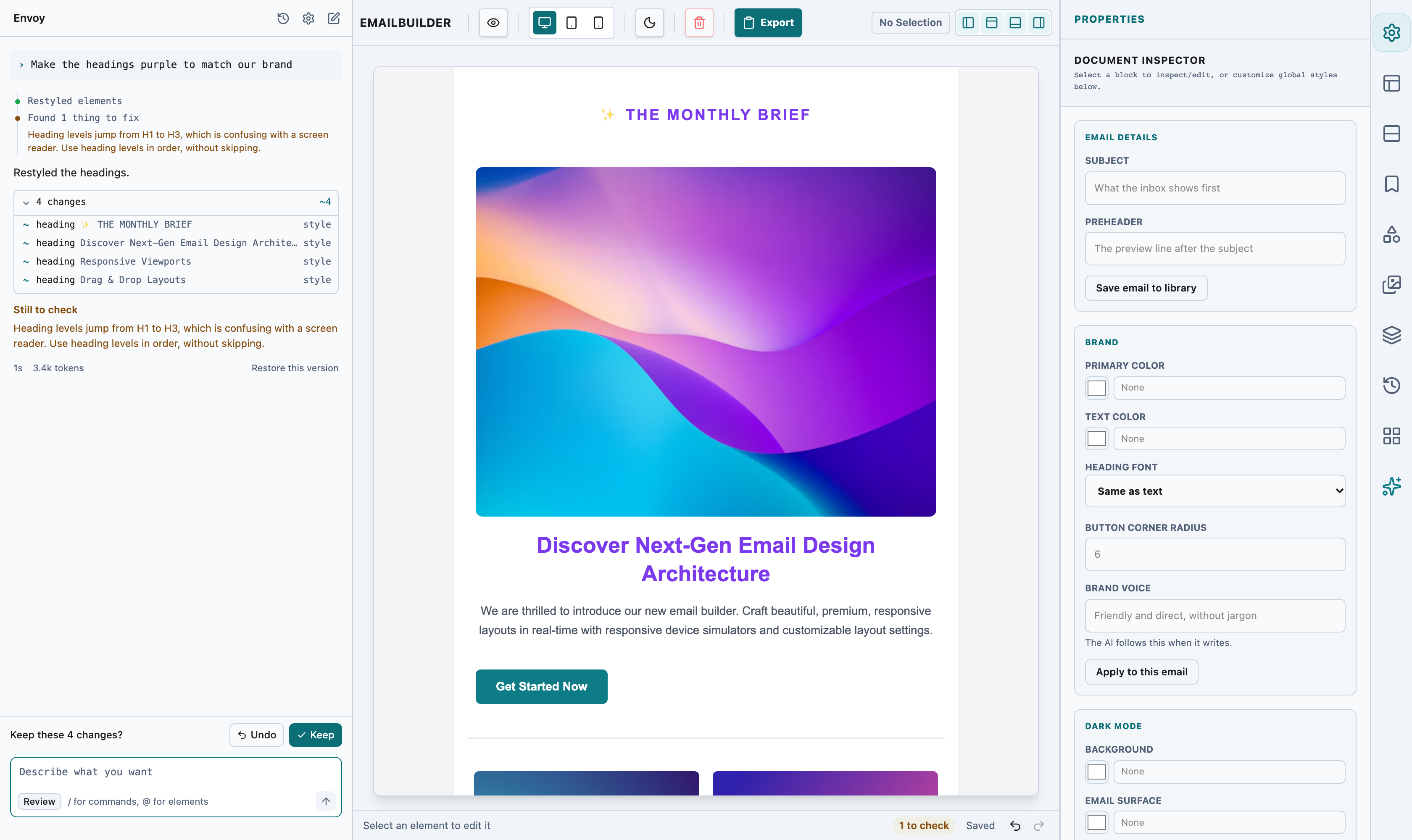
People build emails by dragging blocks, editing text in place, or asking Envoy, the built-in AI. Every email is checked against what actually works in inboxes, and the builder exports HTML, plain text and JSON. Sending stays with your email provider.
What it does
- Drag from the palette, between parents and from the outline, by mouse or keyboard
- Resize columns, rows and sections using sizes email clients support
- Rich text in place, with undo, redo, copy and paste
- People can show, hide and resize each part of the editor
- Text, buttons, images, tables, social icons, video, Markdown, code, raw HTML and more
- Starter templates, saved blocks and a brand kit
- Built on React Email: the canvas and the export share one renderer
- Mobile stacking, dark mode, merge tags in Liquid, Handlebars or Mailchimp syntax
- A linter that flags what would break in an inbox
- An agent panel with live steps, reviewable changes, / commands and @ mentions
- Uses the same commands and rules as the editor, and a verifier checks its work
- Works with any model provider
- Replace any block, control, tab or style
- AI, drag and drop, rich text and history are separate entry points
- An MCP server and CLI let outside agents build valid emails
Get started
Step 1
Install the four packages. You need Node 20 or later and React 18 or later.
pnpm add @react-email-builder/react @react-email-builder/core @react-email-builder/engine @react-email/componentsStep 2
Import @react-email-builder/react/styles.css once in your app.
Step 3
Wrap your editor in EmailProvider, and place EmailCanvas and InspectorPanel inside it.
Step 4
Save the document from onChange with serialize(), and export HTML, plain text or JSON when you need it.
Good to know
Expect changes between versions
Exported HTML is covered by snapshot tests, but hasn't yet been checked across real clients such as Gmail and Outlook. Pin all four packages to the same exact version.
Reviews
No reviews yet. If you've used React Email Builder, yours can be the first.
Feedback
Tell us what's working and what isn't. Every report is read, and most of React Email Builder's changes started as one.